

Turn procurement data into schedule control.
When project information lives across spreadsheets, emails, schedules, and disconnected systems, it becomes harder to see what is actually at risk. Keystone HQ brings the information together so your team can focus on decisions, not status chasing.
See risk earlier
Identify late decisions, slipping fabrication dates, missing submittals, and delivery threats before they impact the field.
Replace spreadsheet status chasing
Keep purchase requests, contracts, expediting milestones, documents, and issues in one live source of truth.
Give leadership a clearer picture
Move from manually assembled weekly reports to real-time project intelligence and client-ready exports.
Features
Everything your procurement program needs to stay ahead of the schedule.
From early procurement strategy through site delivery, Keystone HQ gives every stakeholder a clear view of progress, risk, accountability, and next actions.
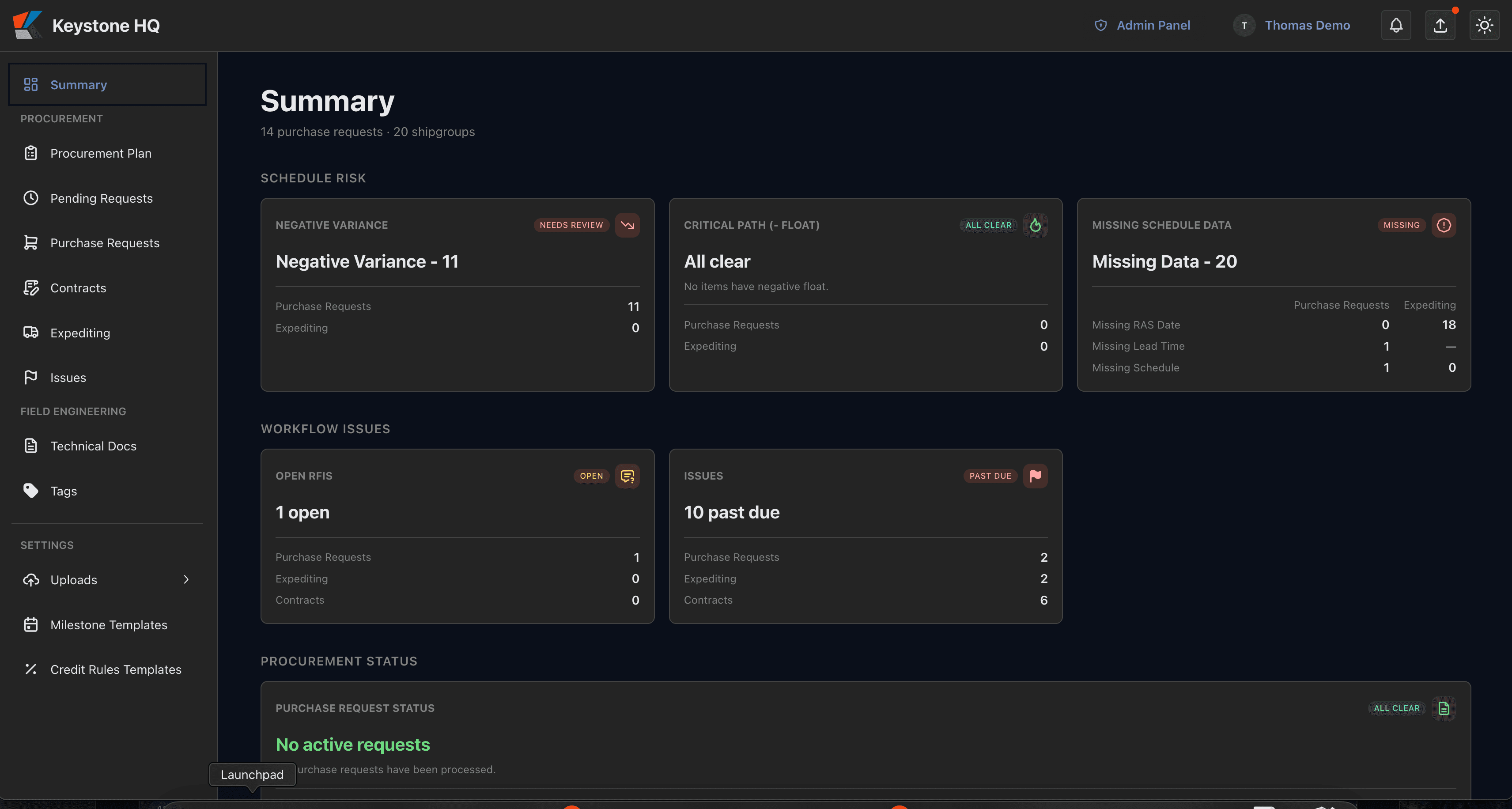
Executive Dashboard & Analytics
See schedule exposure before it becomes a delay.
Give leadership and project teams a live view of critical procurement activity, at-risk items, milestone progress, and unresolved issues, without waiting for the next status meeting.
Highlight procurement items that are behind plan or approaching the critical path
Use clear risk indicators to focus attention where it is needed
Drill from portfolio-level KPIs into the records driving the risk
Track progress across procurement packages from one executive view
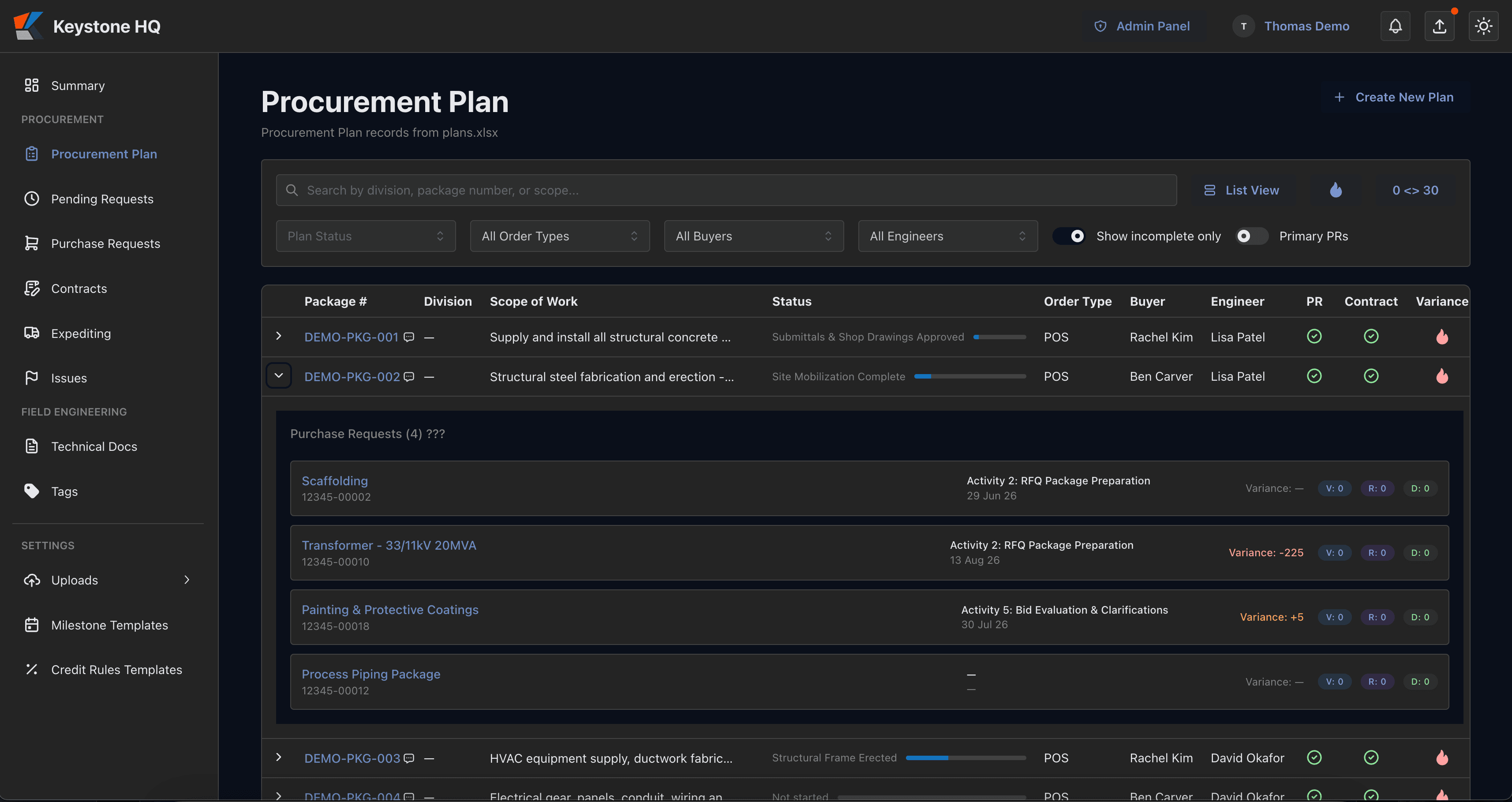
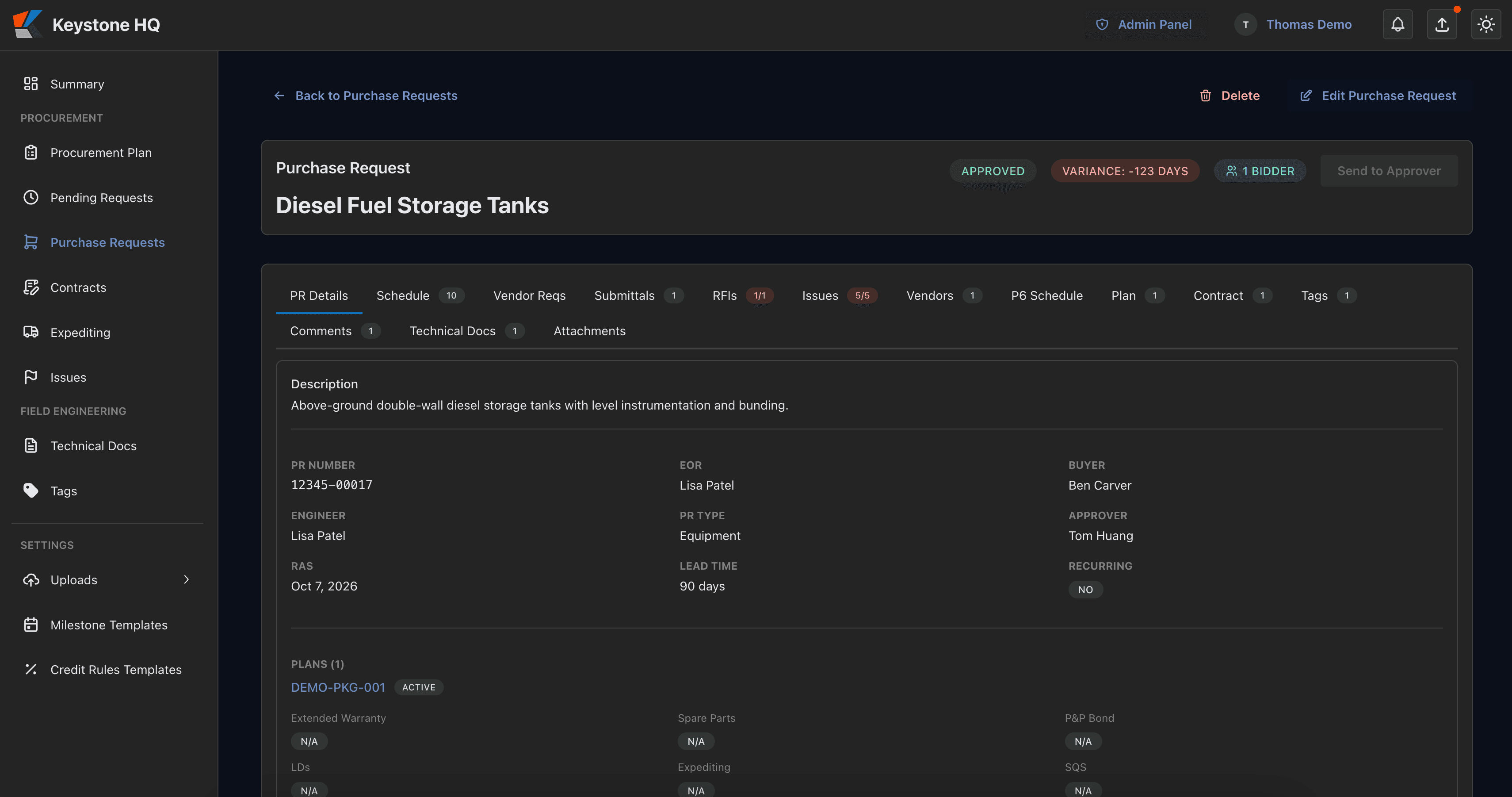
Procurement & Purchase Management
Manage every purchase request from strategy through closeout.
Keep the full purchase-request lifecycle connected, from early planning and bidder outreach through award, execution, and closeout.
Assign ownership across buyers, engineers, and project teams
Manage bidder lists, awards, and linked contracts in context
Compare forecast dates, remaining days, and float against the master schedule
Generate procurement status and bidder reports without rebuilding spreadsheets
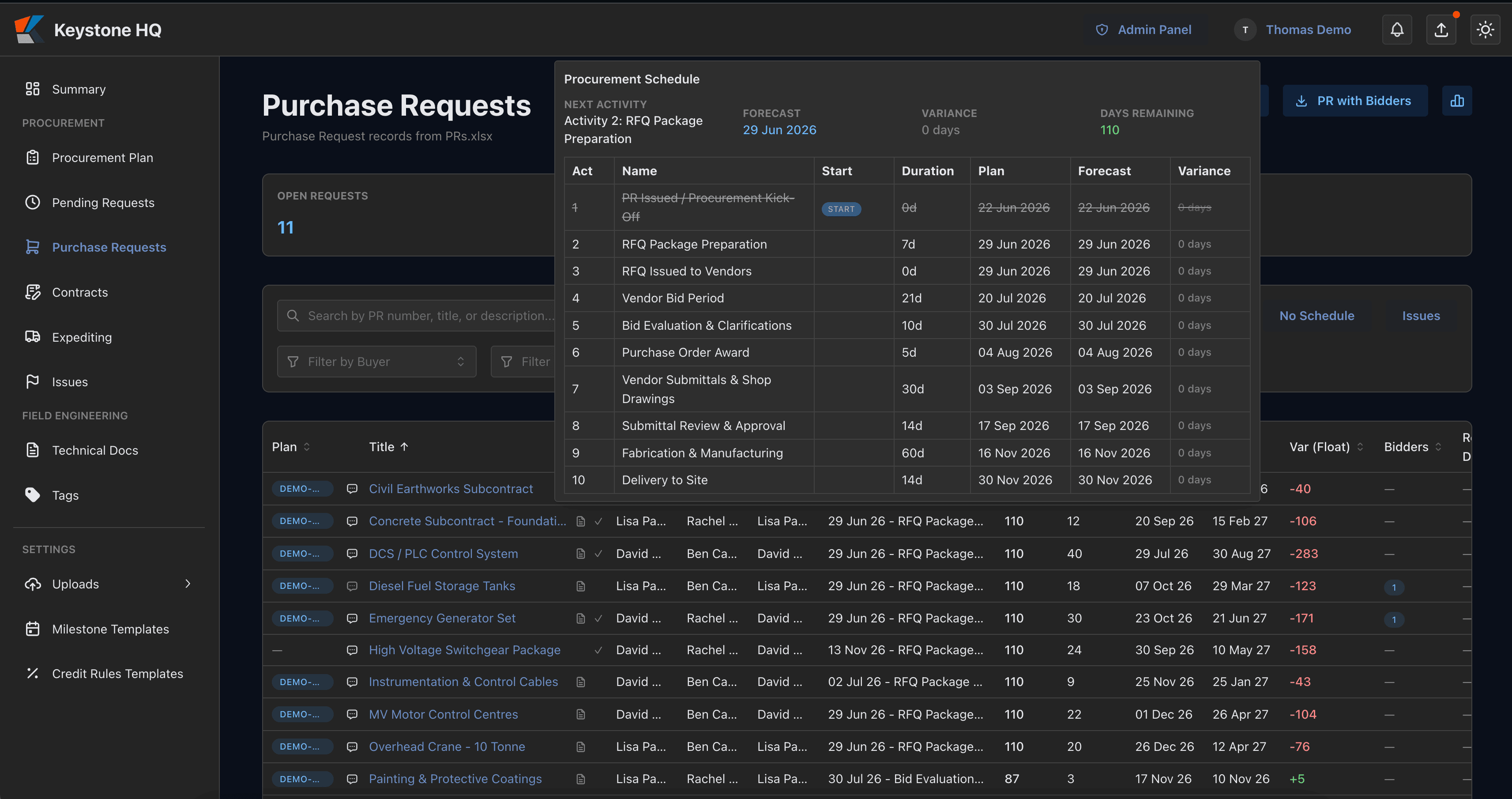
Procurement & Purchase Management
Manage every purchase request from strategy through closeout.
Keep the full purchase-request lifecycle connected, from early planning and bidder outreach through award, execution, and closeout.
Assign ownership across buyers, engineers, and project teams
Manage bidder lists, awards, and linked contracts in context
Compare forecast dates, remaining days, and float against the master schedule
Generate procurement status and bidder reports without rebuilding spreadsheets
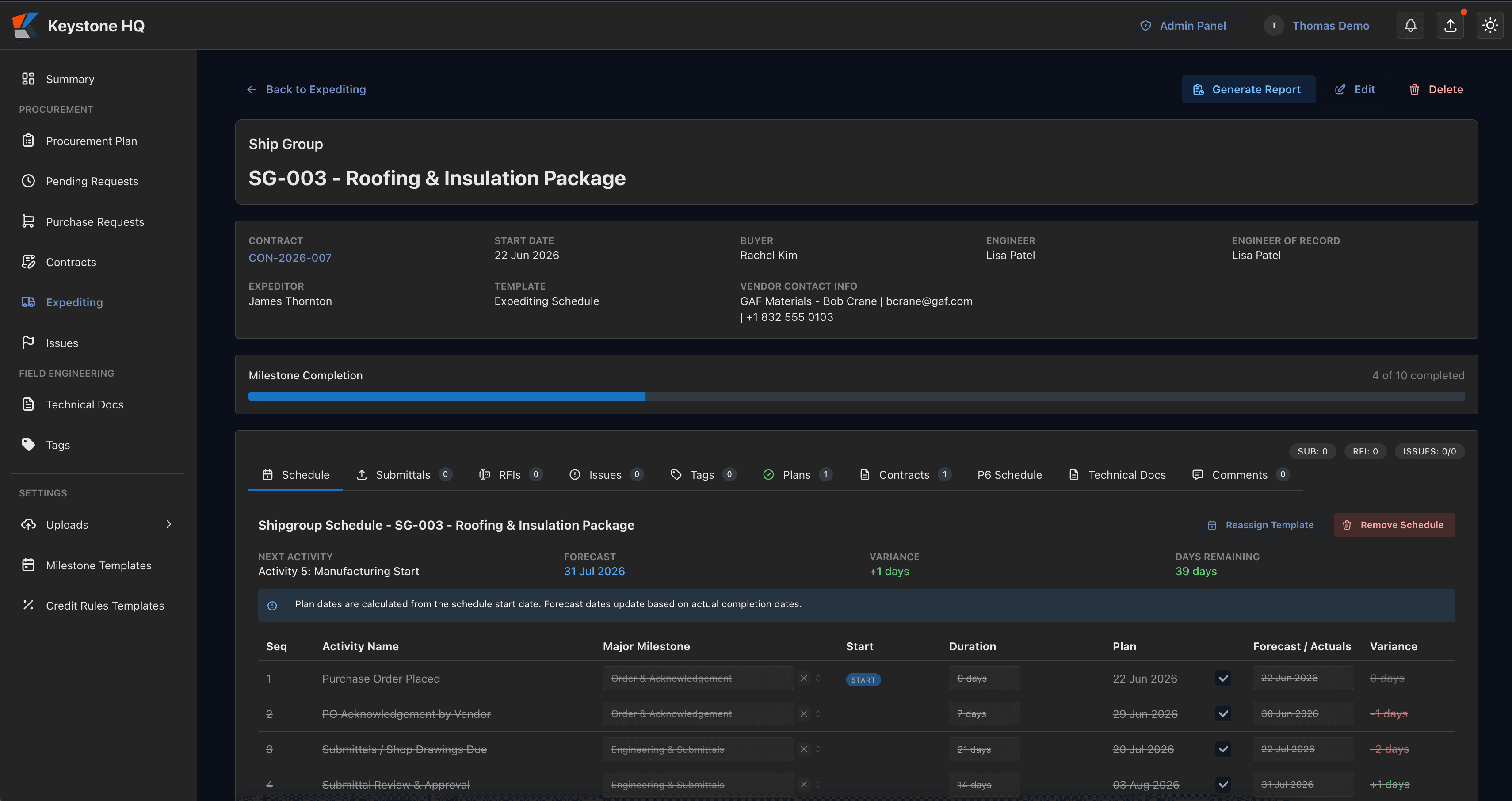
Expediting & Logistics
Keep every critical delivery tied to the schedule.
Track fabrication, inspection, shipment, and site-delivery milestones against required-at-site dates, with clear visibility into variance and overdue activity.
Track shipment progress from fabrication through site delivery
Compare planned and forecast dates automatically
Surface overdue milestones and potential schedule impacts early
Filter activity by supplier, expeditor, buyer, engineer, or procurement package
Workflow & Issue Resolution
Convert unresolved comments into accountable project actions.
Capture issues where they occur, assign responsibility, and make sure decisions, comments, and RFIs do not disappear in email threads or status meetings.
Flag comments as issues and route them into a visible triage queue
See open issues across the project from one dashboard
Keep comments, actions, and supporting context attached to the relevant record
Control who can resolve or close critical issues
Workflow & Issue Resolution
Convert unresolved comments into accountable project actions.
Capture issues where they occur, assign responsibility, and make sure decisions, comments, and RFIs do not disappear in email threads or status meetings.
Flag comments as issues and route them into a visible triage queue
See open issues across the project from one dashboard
Keep comments, actions, and supporting context attached to the relevant record
Control who can resolve or close critical issues
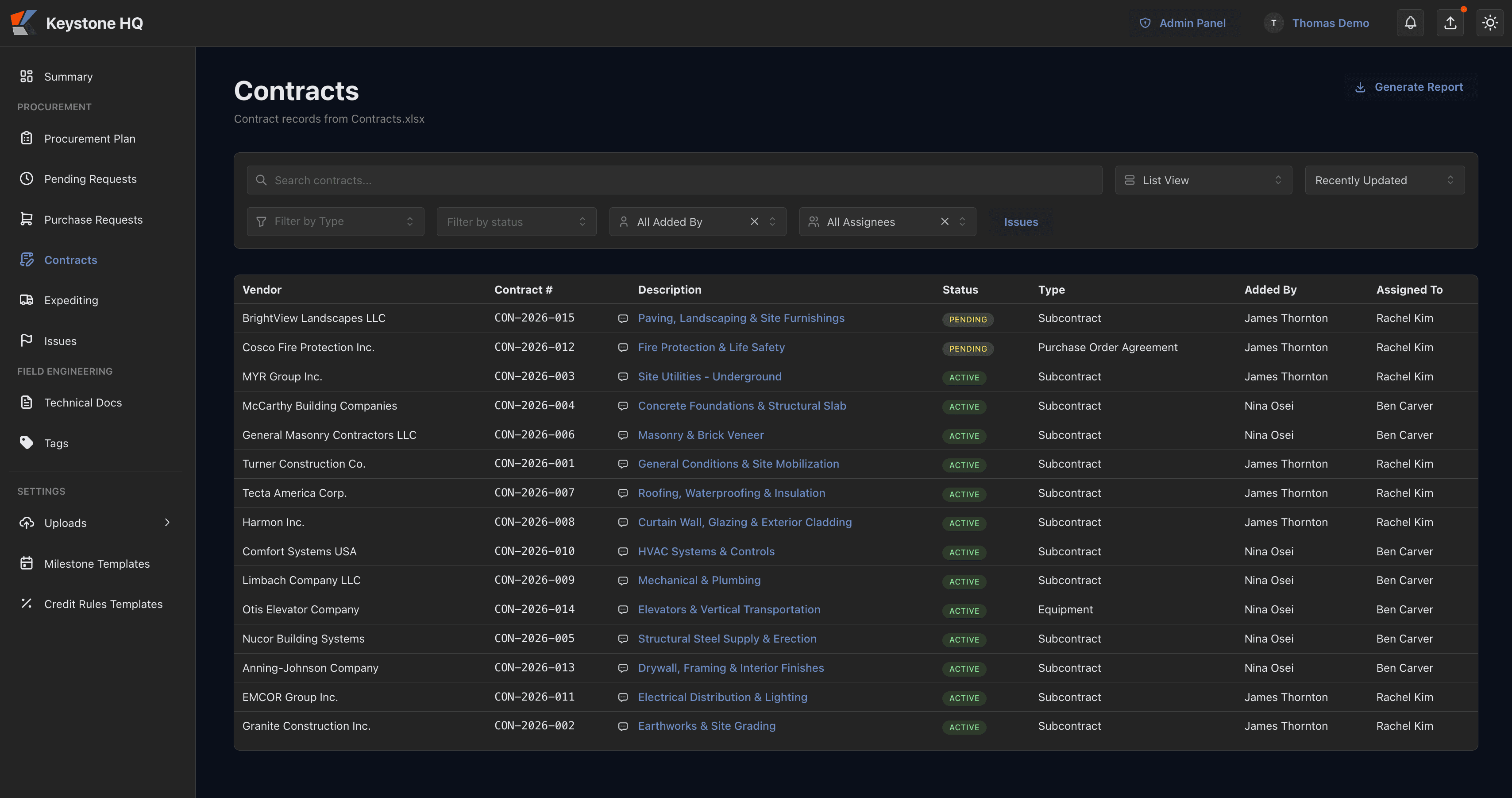
Contract & Document Control
Maintain traceability from award through delivery.
Connect contracts, requirements, submittals, engineering documents, and procurement records so the team can see what is complete, what is blocked, and what needs action.
Search and manage contracts by status, type, vendor, and owner
Link contracts to purchase requests and required compliance activities
Identify documents or approvals that may be blocking fabrication or delivery
Maintain a complete record of key procurement decisions and changes
Reports
Client-ready project intelligence, without rebuilding the report every week.
Turn live Keystone HQ data into clear, shareable procurement and expediting reports in seconds.
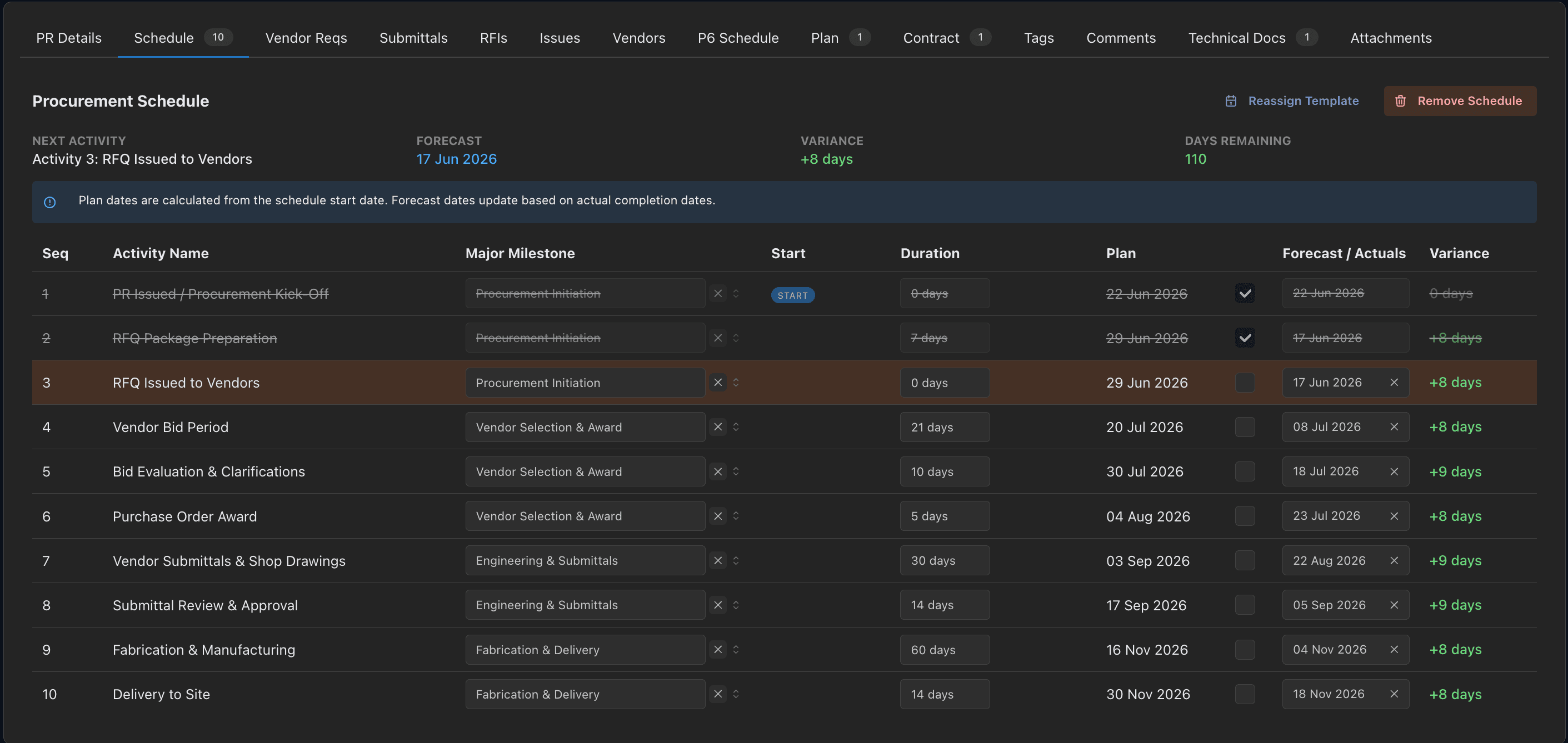
Procurement Schedule
A live view of purchase requests against the master schedule, including float, remaining days, and items needing attention.
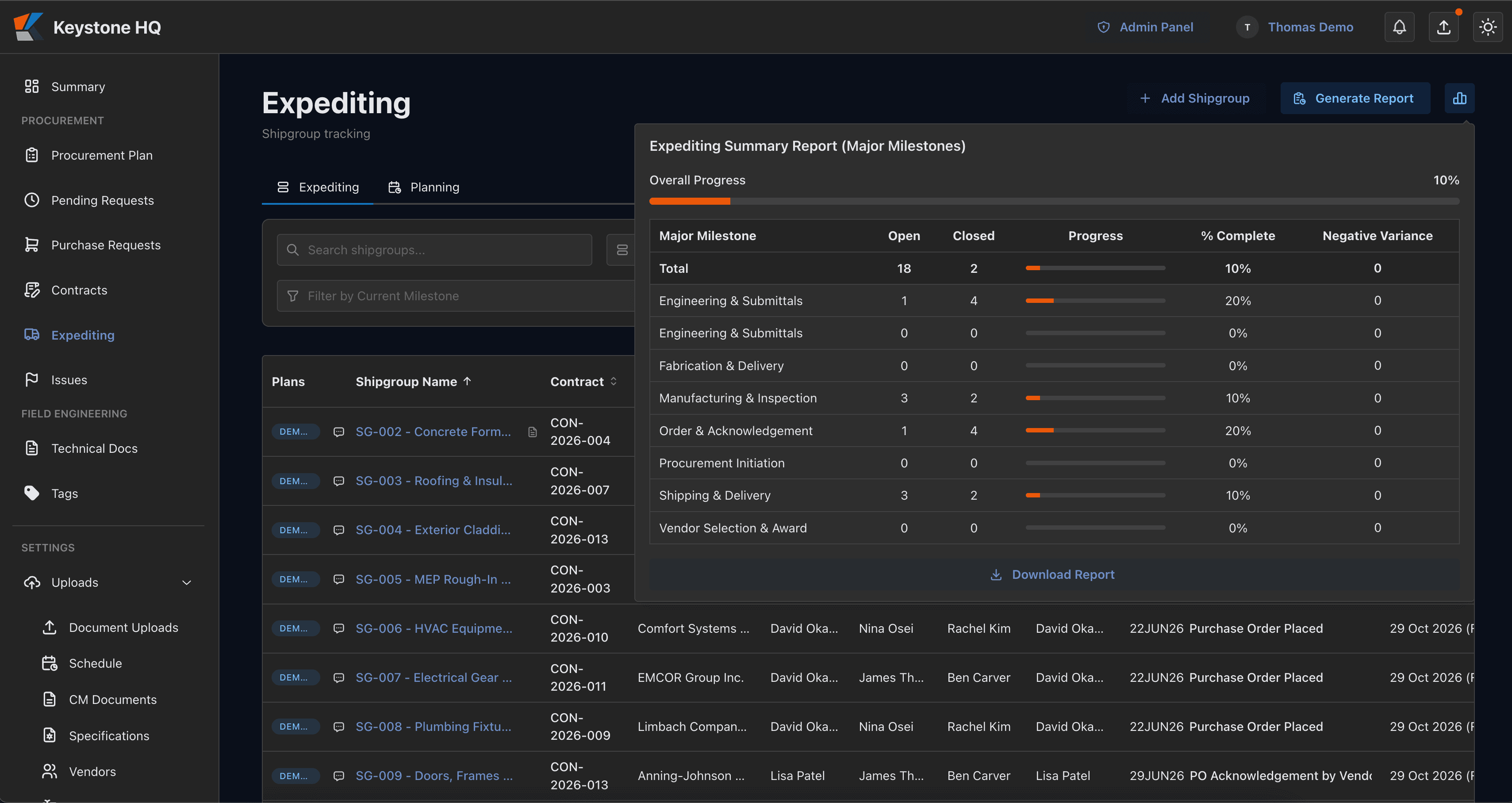
Expediting Summary
Track delivery progress, late milestones, and forecast variance across suppliers and critical shipments.
Planning & Float
Review projected dates and schedule float across procurement activity so emerging risk is visible before it reaches the critical path.
How It Works
From master schedule to on-time delivery in three steps
01
Connect your schedule
Import your master schedule and establish required-at-site dates for procurement activity.
02
Manage the work
Track purchase requests, contracts, documents, milestones, and shipments in one connected project record.
03
Act before risk becomes delay
Use live risk indicators, issues, forecast dates, and float to focus the team on the actions that protect the schedule.
Customization & Control
A platform built around your procurement process, not a rigid template.
Keystone HQ gives your team a consistent system of record while adapting to the way your projects actually run. Configure workflows, roles, milestone templates, imports, and integrations around your operating model, without forcing your team back into spreadsheets.
Granular Permission Controls
Define who can view, edit, approve, and resolve information by role, team, or individual responsibility. Keep sensitive records and critical actions restricted to the right people.
Structured Data Imports
Bring procurement and project data in from your existing spreadsheets, reports, and legacy systems so your team starts with a more complete picture.
Targeted Data Connectors
Connect the scheduling, ERP, and document systems your team already uses, reducing manual re-entry and improving visibility across the project.
Configurable Workflows
Set approval paths, milestone schedules, issue-resolution flows, and repeatable templates that reflect how your organization manages procurement.
Show us how your team runs procurement.
Bring your current workflow, spreadsheet, schedule export, or reporting challenge. We'll show you how Keystone HQ can turn it into a live, project-specific control system.
Built for projects that cannot afford procurement surprises.
See how Keystone HQ can help your team protect critical-path milestones, improve accountability, and keep project decisions connected to the schedule.